AeroTower
A PWA for hydroponic growers: real-time sensor data off IoT towers, built on Next.js, Vercel and Supabase.
Project Info
Methodology
Summary
AeroTower is a PWA for monitoring hydroponic towers remotely. Growers were handed raw sensor readings for water, light, temperature and nutrients. I designed the product and built the front-end in Next.js on Vercel, with Supabase behind it.
The Challenge
A tower reports continuously, and raw telemetry tells a grower the state of the system without telling them what to do about it.
The goal: turn a sensor feed into something checked on a phone, at the tower, and acted on. An AI assistant reads the data and produces tasks instead of numbers.
The constraint
A hydroponic tower reports water, light, temperature and nutrient levels continuously. Growers were being handed all of it as raw numbers, which tells you the state of the system but not what to do about it. The job was to turn a sensor feed into an interface someone checks on a phone, between other things, and acts on.
I designed the product and built the front-end: Next.js on Vercel, with Supabase behind it, delivered as a PWA so it installs on a phone and is used at the tower rather than at a desk.
The fleet view
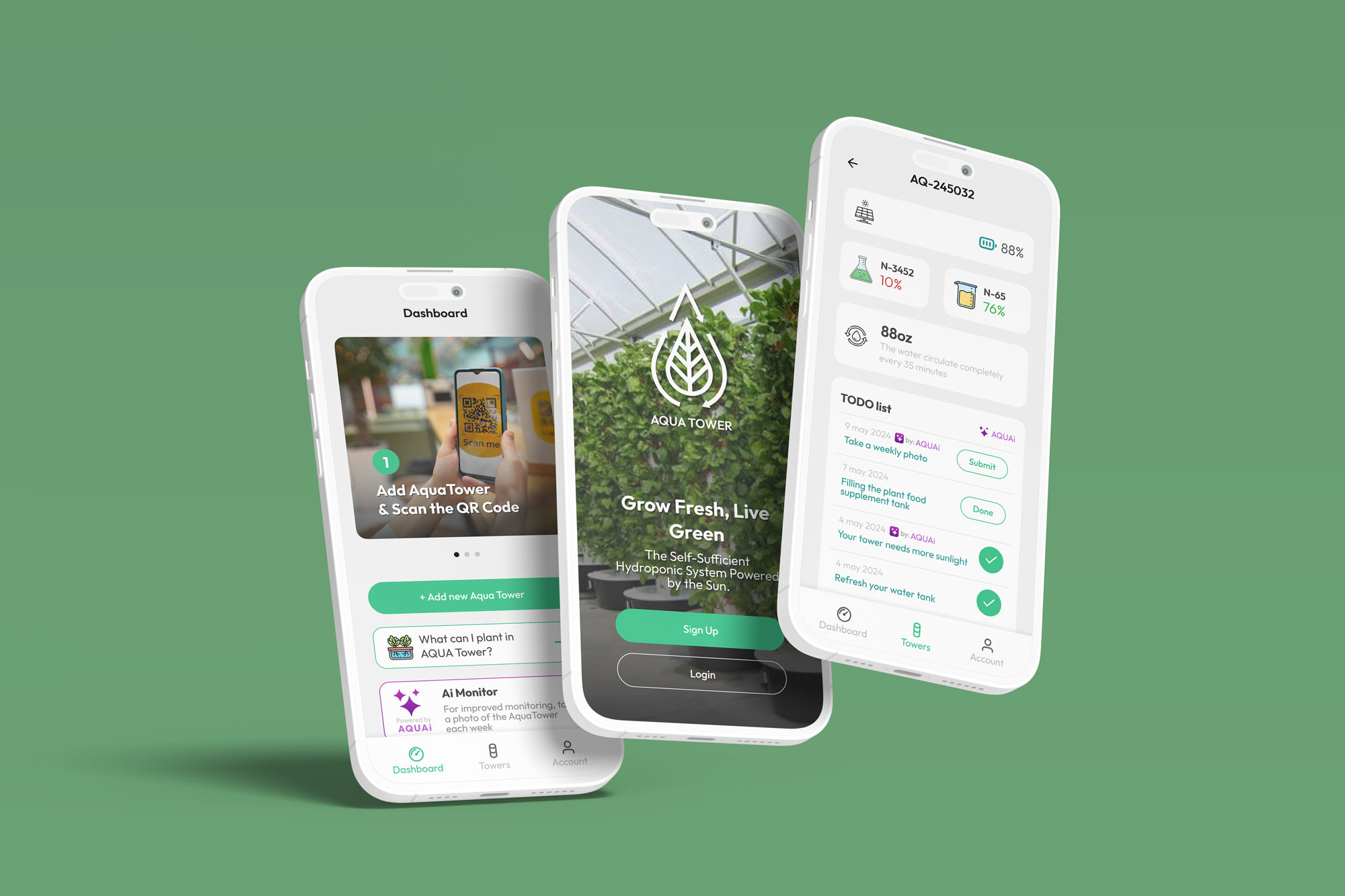
Growers run more than one tower, so the first screen answers one question: is anything wrong. Each tower is a card carrying only what changes that answer.
- Connection state, because a silent sensor and a healthy one look identical in a chart.
- Open notifications, counted, so an unread problem is visible without opening the tower.
- Power and sunlight, the two values that predict trouble before the plants show it.
The detail view
Opening a tower gives the full telemetry, grouped so that reading and acting sit on the same screen.
Environment:
temperature and humidity.
Nutrients:
per-tank levels, which is where most problems start.
Hardware:
manual control of the solar panel, water pump and lighting.
From monitoring to managing
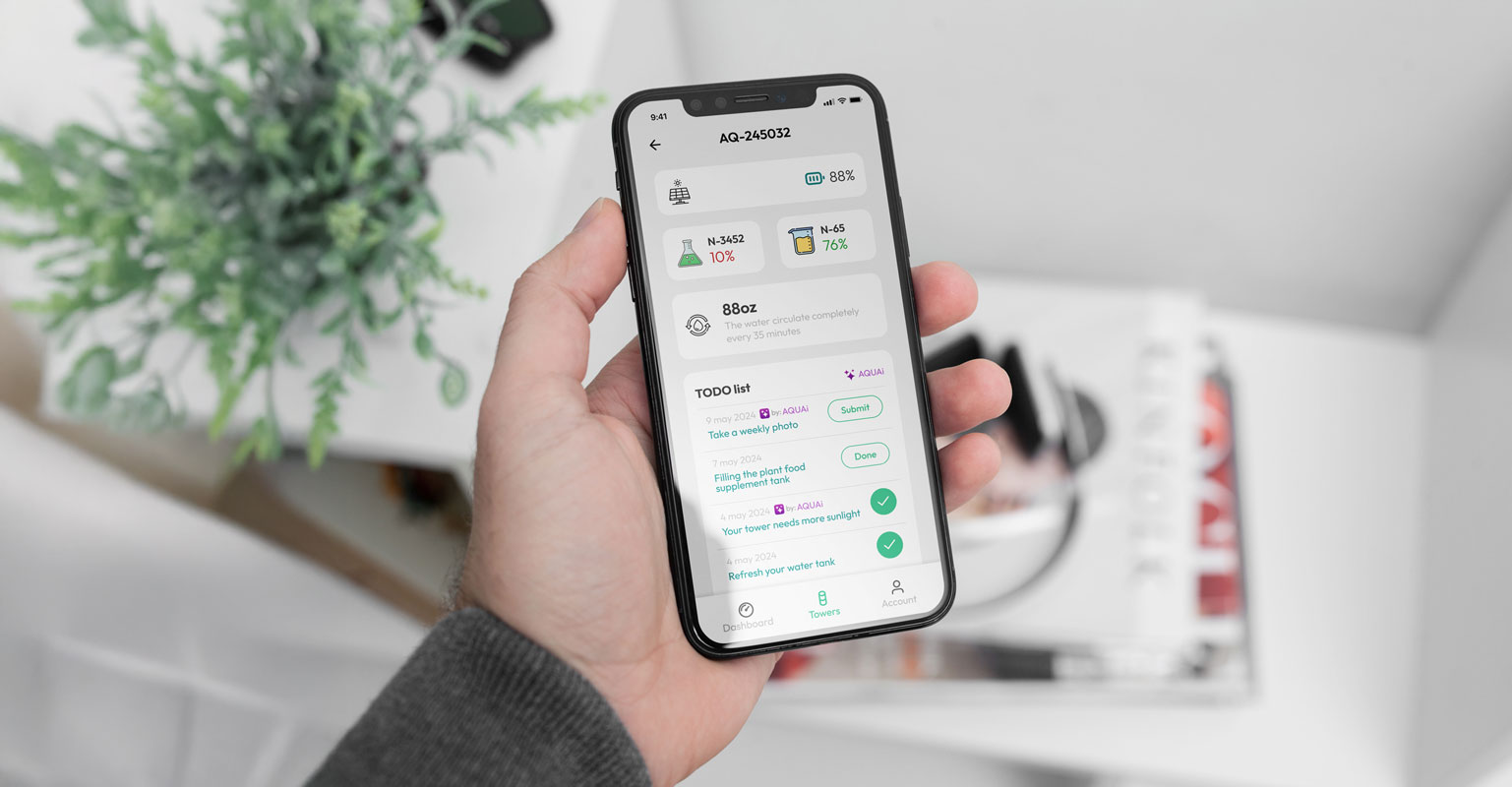
A dashboard that only reports leaves the interpretation to the grower, which is the part they were struggling with. AQUAii reads the tower data and turns it into a task list.
Tasks, not readings
A nutrient level dropping produces "fill the supplement tank", not a red number. Routine items such as the weekly photo sit in the same list, so there is one place to look.
Each task closes
Every item has a single action and a done state. A suggestion nobody can dismiss becomes noise on the second day.
Built for where it is used
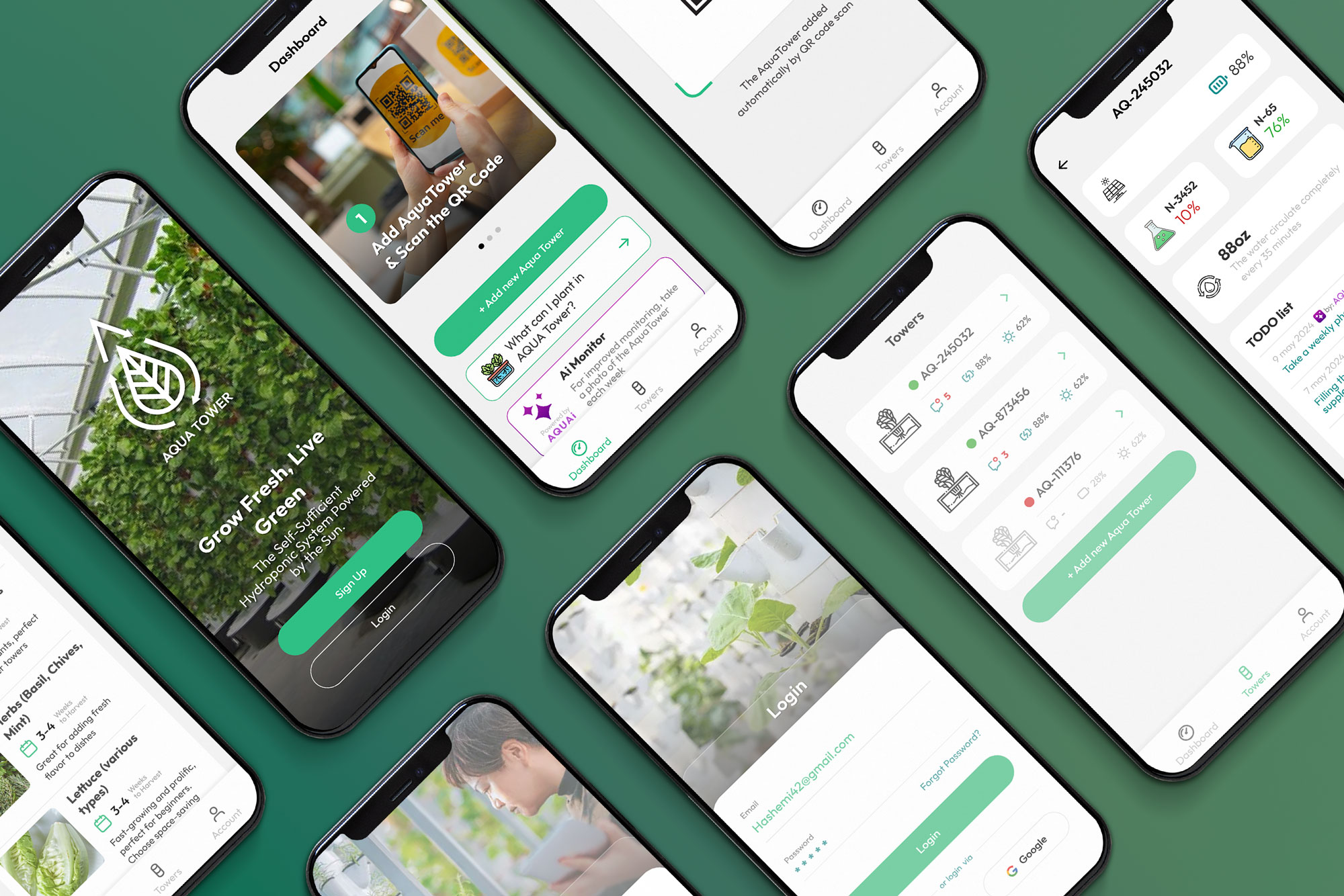
This app is opened next to a tower, often one-handed, sometimes with wet hands. That drove the build more than any visual decision.
Large touch targets on every hardware toggle. These controls turn real pumps and lights on and off, so a mis-tap has a physical cost.
Status carried by colour and position, so the fleet reads at a glance and a problem is found before any number is parsed.
Installable as a PWA, which put it on the home screen without an app store between the grower and their own equipment.